
The AI That Thinks Like a Design Partner

📅 June 25, 2026
⏱️ 5 min read
enCODE : Rajendra enCODE : Rajendra
The AI That Thinks Like a Design Partner

Calm down. AI isn't here to take your design job.

Artificial Intelligence is transforming the way designers work—not by replacing creativity, but by becoming a trusted design partner. Rather than taking over the creative process, AI helps designers think more critically, uncover blind spots, and automate repetitive tasks, allowing them to focus on solving real user problems.

Instead of asking, "Does this design look good?", designers can ask more meaningful questions:

  • How would a first-time user navigate this interface?

  • Where are users most likely to get confused?

  • What accessibility issues might I have missed?

  • Which part of the user journey feels unnecessarily complex?

A designer recently shared, "I described my onboarding flow and asked AI to explain it from the perspective of someone who had never used software like this before. The gaps were immediately obvious." That's the real value of AI—it challenges assumptions before stakeholders or customers do.

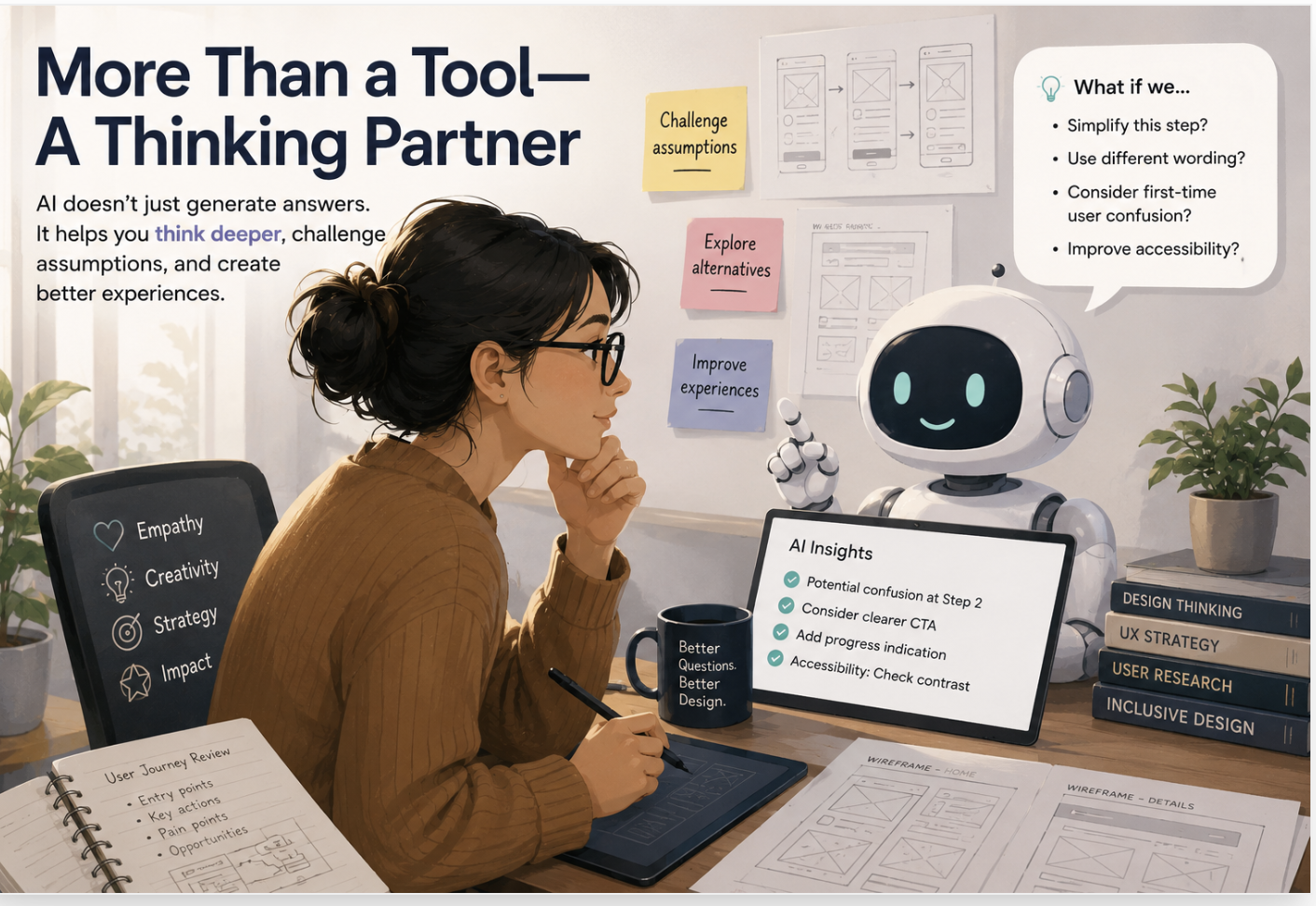
More Than a Tool—A Thinking Partner

AI isn't simply generating layouts or suggesting color palettes. It acts as a sounding board throughout the design process. It can review user journeys, improve UX copy, summarize research, organize design documentation, and even help prepare stakeholder presentations.

By providing instant feedback and multiple perspectives, AI enables designers to iterate faster and make more informed decisions.

Let AI Handle the Repetitive Work

A significant portion of a designer's day is spent on production tasks rather than creative thinking. Updating documentation, writing microcopy, organizing design systems, creating presentations, and preparing developer handoffs are all essential but time-consuming activities. AI can dramatically reduce the effort required for these repetitive tasks, giving designers more time to focus on innovation and user experience.

Instead of fearing AI, designers should see it as an opportunity to work smarter. Start by introducing AI into one part of your workflow—whether it's reviewing designs, improving UX writing, or brainstorming ideas. Experiment, learn where it adds value, and refine your process.


AI AIDesign UXDesign AIForDesigners TechInnovation

Frequently Asked Questions

How does AI-driven personalization improve learning outcomes on enCODE?

Personalized learning at enCODE leverages machine learning models to analyze individual learning speeds, concept retention, and engagement styles. By understanding these metrics, our platform dynamically recommends custom reading paths, adjusts hands-on exercises, and serves practice challenges at the optimal level of difficulty. This customized feedback loop ensures students don't get bored by topics they have already mastered, nor do they get discouraged by advanced materials before they are ready, leading to significantly higher course completion rates.

Can enCODE's AI replace the value of human mentorship in education?

Absolutely not. enCODE uses AI to automate administrative grading, analyze data trends, and provide instant conceptual feedback. This actually frees up our industry mentors to spend high-value, quality time with students on deep-dive critiques, career direction, and complex problem-solving. AI serves as a powerful co-pilot that accelerates learning speed, but human mentors provide the crucial empathy, networking connections, and real-world guidance that machines cannot replicate.

What specific AI tools are integrated into the enCODE student workspace?

Students have access to an integrated AI assistant that operates within their coding, design, and writing workspaces. The assistant offers real-time syntax checking, interactive code explanations, design feedback based on UI principles, and writing suggestions. Furthermore, our AI helps students outline complex projects, identify performance bottlenecks in code, and simulate interview scenarios tailored to specific job descriptions from our industry partners.

How does the platform ensure that AI suggestions do not lead to plagiarism?

We emphasize AI as a learning facilitator rather than an automated content writer. The built-in AI workspace guides students through the problem-solving process by prompting them with structural questions and conceptual hints rather than direct solutions. Additionally, enCODE incorporates advanced code integrity check tools to ensure all submitted coursework represents original understanding and implementation by the student.

Are there prerequisites for students starting AI-powered courses on enCODE?

No, enCODE offers learning paths starting from absolute beginner levels. The platform's adaptive learning engine evaluates your background knowledge during onboarding and automatically configures foundation modules if needed. Advanced learners can test out of introductory concepts directly, allowing everyone to progress at their own comfortable and productive pace.

Share this article